
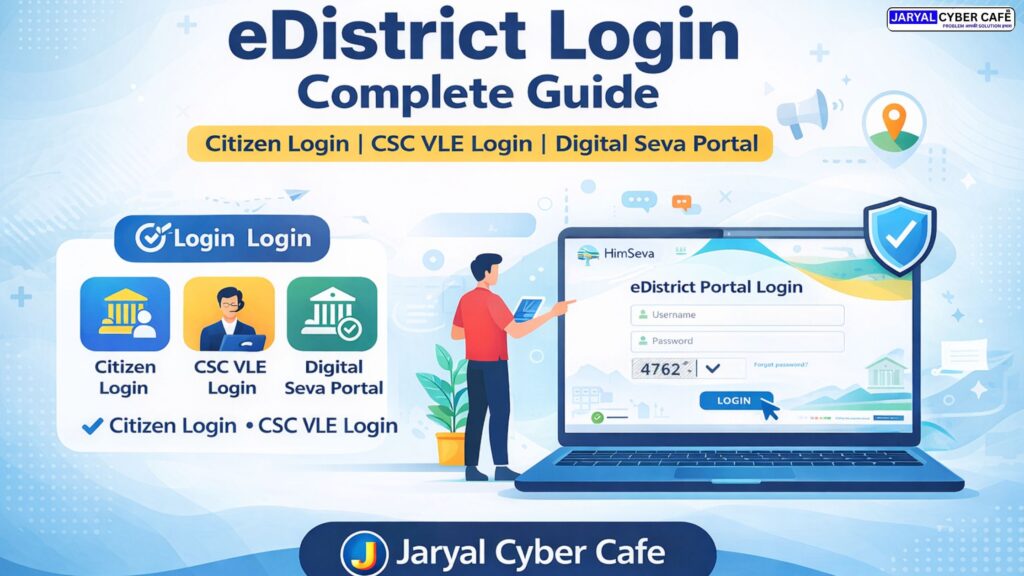

With the rapid shift towards digital governance in India, eDistrict login has become an essential requirement for citizens and service providers. From applying for certificates to accessing government welfare services, the e district portal login system allows users to complete most tasks online without visiting offices.
This detailed guide explains everything about login to e district, edistrict citizen login, edistrict hp gov in login, CSC VLE login, and digital seva portal login, written with real-world experience from Jaryal Cyber Cafe.
What Is eDistrict Portal?
The eDistrict platform is a government-enabled digital system designed to deliver public services online. Through login to edistrict, users can access services such as income certificates, caste certificates, domicile certificates, and many other state-specific services.
The portal supports multiple user types, including:
- Citizen login
- CSC VLE login
- Service online login
Each login option provides different access rights based on the user role.
How to Login to eDistrict Portal as a Citizen
For individuals applying for certificates or checking application status, edistrict citizen login is the correct option.
Steps for eDistrict Citizen Login:
- Open the official eDistrict website of your state
- Click on login to edistrict
- Choose Citizen Login
- Enter your registered username and password
- Complete the captcha and submit
Once logged in, users can apply for services, upload documents, and track their applications directly from the dashboard.
eDistrict HP Gov In Login (Himachal Pradesh Users)
Residents of Himachal Pradesh frequently search for edistrict hp gov in login to access state-specific services. The e district login HP system is integrated with the Himachal government’s online service infrastructure.
Using edistrict hp gov in login, users can:
- Apply for certificates online
- Check service status
- Download approved documents
At Jaryal Cyber Cafe, many citizens from Himachal Pradesh receive daily assistance for edistrict hp gov in login due to password issues, portal confusion, or document upload errors.
CSC VLE Login & Digital Seva Portal Login
For Common Service Center operators, CSC VLE login is required to provide services to citizens. CSC users must access services through the digital seva portal csc login.
CSC Login Options Include:
- digital seva login
- csc login digital seva portal
- csc login dashboard
- e district login csc
Steps for CSC VLE Login:
- Open the Digital Seva Portal
- Click on digital seva portal csc login
- Enter your VLE ID and password
- Verify OTP
- Access the CSC login dashboard
After login, CSC operators can help citizens with e district portal login, service applications, and digital documentation.
Service Online Login – Unified Government Access
In many states, service online login acts as a centralized system where multiple departmental services are available under one portal. This system reduces dependency on physical offices and improves transparency.
Both citizens and CSC operators can use service online login to access integrated government services.
Common eDistrict Login Problems and Solutions
Many users face issues during login to edistrict due to technical or user-related errors. Common problems include:
- Incorrect username or password
- Captcha validation failure
- OTP not received
- Account temporarily locked
To avoid these issues:
- Always use the correct portal URL
- Ensure mobile number is active
- Reset password if login fails repeatedly
Professional support from Jaryal Cyber Cafe helps users resolve such issues quickly and safely.
Why Choose Jaryal Cyber Cafe for eDistrict & CSC Support?
Jaryal Cyber Cafe is a trusted digital service center providing expert assistance in:
- eDistrict login support
- eDistrict citizen login help
- CSC VLE login assistance
- Digital Seva Portal access
- Government certificate applications
With hands-on experience and updated knowledge, Jaryal Cyber Cafe ensures error-free and time-saving digital service solutions.
Frequently Asked Questions (FAQ)
What is eDistrict login used for?
Answer: eDistrict login is used to apply for government certificates and access public services online.
What is the difference between citizen login and CSC login?
Answer: Citizen login is for individuals, while CSC VLE login is for service providers assisting citizens.
How do I access the digital seva portal CSC login?
Answer: Visit the Digital Seva Portal and use your VLE ID to complete digital seva portal csc login.
What is edistrict hp gov in login?
Answer: It is the official Himachal Pradesh eDistrict login system for state-level services.
Can citizens apply without CSC?
Answer: Yes, citizens can use edistrict citizen login, but CSC assistance simplifies the process.
Final Conclusion
Whether you are searching for edistrict login, login to e district, e district portal login, or csc login dashboard, understanding the correct process is essential. Government portals are powerful, but proper guidance ensures smooth access and faster results.
With reliable support from Jaryal Cyber Cafe, citizens and CSC operators can confidently manage digital government services without confusion or delays.