


Introduction
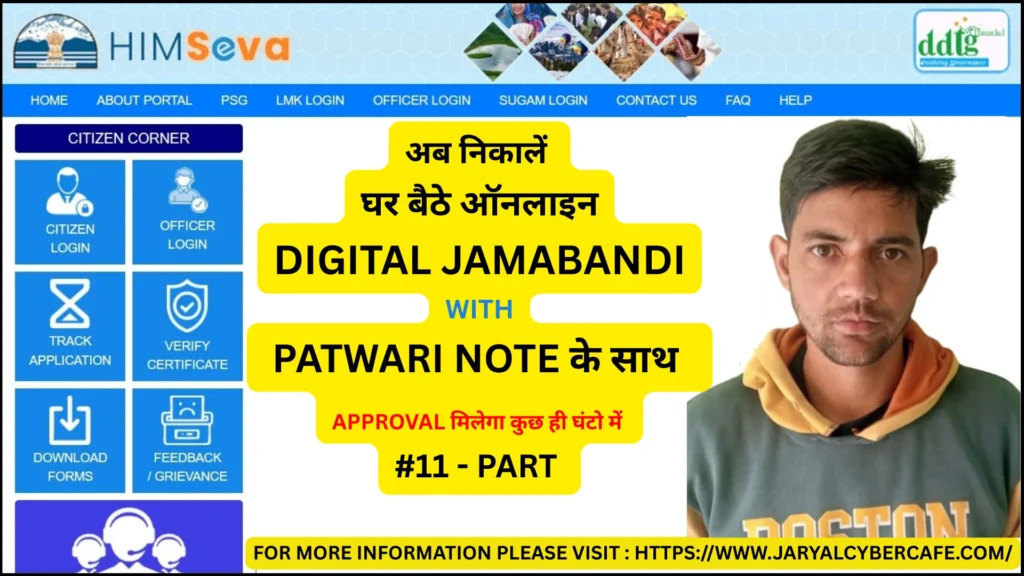
Digital Jamabandi in Himachal Pradesh is an online land record system that allows citizens to access land ownership details, property records, and mutation details digitally. This digital initiative simplifies property verification, reduces paperwork, and provides quick access to official land records.
In this guide, you will learn the complete process to access Digital Jamabandi, eligibility criteria, required documents, benefits, and tips to avoid errors while using the service.
What is Digital Jamabandi?
Digital Jamabandi is the electronic version of the traditional Jamabandi, which contains detailed records of land ownership, tenant details, and land mutations in a specific area. It is maintained by the Himachal Pradesh Revenue Department and is available online for easy access.
It serves as official proof of land ownership and helps in property-related transactions, bank loans, and legal verification.
When is Digital Jamabandi Required?
You may need access to Digital Jamabandi in the following situations:
- Verification of land ownership for property transactions
- Applying for agricultural or property-related loans
- Checking land records before purchasing or selling land
- Legal verification in land disputes
- Accessing details for government schemes and subsidies
Eligibility Criteria
To access Digital Jamabandi in Himachal Pradesh, applicants must:
- Be a resident of Himachal Pradesh
- Have a valid landholding in the state
- Possess proper identity and address proof if required for specific services
- Provide accurate land details, such as Khasra number or Patta number
Required Documents
To access or download Digital Jamabandi records, you may need:
- Aadhaar Card
- Land details (Khasra number, Patta number, or survey number)
- Identity proof (Voter ID, Driving License, etc.)
Important Tip:
Ensure the land details match official records. Incorrect details can lead to failed searches or delays.
How to Access Digital Jamabandi Online (Step-by-Step)
- Visit the official Himachal Pradesh Digital Jamabandi portal
- Navigate to the “View Jamabandi” or land records section
- Select your district, tehsil, and village
- Enter Khasra/Patta number or owner name as required
- View or download the Jamabandi record in PDF format
Tip: Save a copy of the record for official use and verification.
Benefits of Digital Jamabandi
- Provides official proof of land ownership
- Reduces paperwork and manual verification processes
- Quick and easy access to land records online
- Useful for bank loans, property transactions, and legal matters
- Helps avoid fraudulent land claims
Verification Process
- Land records are verified and updated by the Himachal Pradesh Revenue Department
- Any mutations, transfers, or updates are reflected in the Digital Jamabandi system
- Authorized officials can authenticate the document for official purposes
Common Mistakes to Avoid
- Entering incorrect land or owner details
- Downloading incomplete or outdated records
- Not verifying records before property transactions
- Ignoring official notifications on land mutations
Tip: Always cross-check land details and verify with local revenue office if needed.
Frequently Asked Questions (FAQs)
Q1. What is Jamabandi?
Jamabandi is the official land record register maintained by the Revenue Department, containing details of land ownership, tenant, and mutations.
Q2. Is Digital Jamabandi legally valid?
Yes, digitally certified Jamabandi is considered official proof of land ownership.
Q3. Can anyone access Digital Jamabandi online?
Yes, residents of Himachal Pradesh can view records using district, tehsil, village, and Khasra/Patta numbers.
Q4. Do I need to visit the office to get a digital Jamabandi?
Not always. Most records can be accessed and downloaded online, but authentication may require office verification for official purposes.
Q5. Is there a fee for Digital Jamabandi?
Accessing records online is usually free, but certified copies may incur a nominal fee at the revenue office.
Conclusion
Digital Jamabandi in Himachal Pradesh provides a fast, transparent, and easy way to access land records. By following the steps outlined in this guide, you can check, download, and use your land records efficiently for property transactions, loans, and legal purposes.
Accurate information and verification are key to avoid errors and delays while accessing these records.
Disclaimer
This article is for informational purposes only. Rules and procedures may change over time. Always verify details from the official Himachal Pradesh government portal before using Digital Jamabandi.
About the Author
Sanjay Jaryal has extensive experience assisting citizens with online government services and digital applications. He focuses on guiding users to complete official processes accurately and efficiently.