


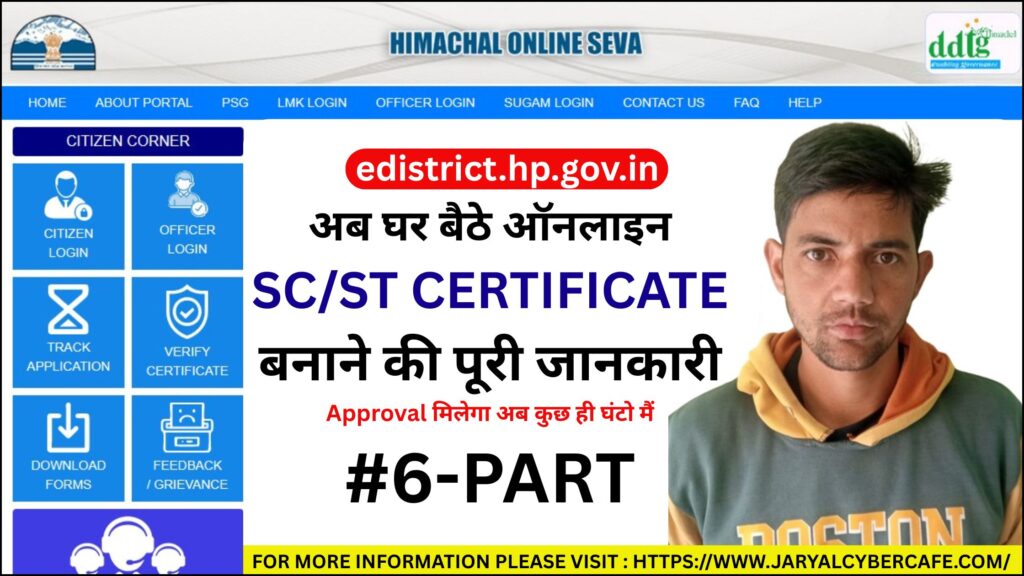
Cast (SC/ST) Certificate:
Caste Certificate yeh certify karta hai ki applicant kisi specific caste se belong karta hai. Ye Certificate mainly 2 categories me issue kiya jata hai – Scheduled Caste (SC) aur Scheduled Tribe (ST).
Uses & Benefits:
- Education Purpose : Admission to reserve seats in school/colleges ke liye
- Employment : Government Jobs ya age relaxation ke liye
- Government Schemes : subsidies and social welfare initiatives ke liye
- Legal Identity : Legal protection against discrimination ke liye
Types of Caste Certificate Certificate
- Scheduled Caste (SC)
- Scheduled Tribe (ST)
Eligibility Criteria
- Indian citizen
- State Rules: Applicant Jis state se apply karna chahta hai ussi state ka niwasi hona chahiye
- Caste proof hona chahiye : sajra nasab me likha hota hai candidate ka caste
Documents Required
- Photo – Recent Passport size
- Mobile Number – Adhar linked mobile number
- Residence Proof – Ration card, Electricity bill etc.
- Proof of Identity – Aadhaar card, Pan card, voter card, passport etc.
- Bonafied/domicile – Certificate hona chahiye candidate ke paas
- Affidavit – Self declaration form
Application Fees
- 43.60 Rs – Download official ratelist for E-district HP certificate
How to Apply Online?
Fill Application Form
- Register on himseva portal( himseva.hp.gov.in)
- Login into Dashboard
- Select the service
- Apply for New Application
- Fill applicant personal details
- Enter Father/Mother/Husband details
- Permanent Address Details
- Paternal/Maternal Address Details
- Upload the Documents
Submit the form
- Sari jankari ko review kare
- Ab form ko submit kare
Pay fees
- Ab Kisi bhi payment method se aap payment complete kare
- Kuch state me fees exempted bhi hoti hai
Download Application receipt
- Payment complete hone ke baad apko ak receipt show hogi aap use download kar sakte hain
- Usko Print kar lein
Track Application Status Online
By Login Method:
- Portal Open Kare : himseva.hp.gov.in
- Citizen login per click kare
- Apna credential (login method se login kare) dale
- Login into Dashboard
- Select the Cast Certificate service
- Existing application per click kare
- Apko Application Status show ho jayega
Without Login method:
- Portal Open Kare : himseva.hp.gov.in
- Tract Application
- Select Cast Certificate service
- Enter application number
- Click on Search.
- Apko Application Status show ho jayega
Track Application Status By SMS (Offline Method)
HP EDIST <Application No.> at 166 or 51969 or 9223166166
How to Download
-
- Portal Open Kare : himseva.hp.gov.in
- Citizen login per click kare
- Apna credential (login method se login kare) dale
- Login into Dashboard
- Select the Cast Certificate service
- Existing application per click kare
- Uske bad Download Certificate per click kare
- Ab aap isko save/print karke rakh sakte hain
Validity Period
- Permanant Hota hai
- Some cases me verification bhi hota hai
Processing Time
- 7-15 working days
Benefits of Applying Online
- Ghar baithe apply kar sakte hain
- Time & travel cost save hoti hai
- Easy to Application tracking
- Digital record safe rehta hai
- Line me nhi lagna padta hai
- Office ke baar baar chakker nhi katne padte hai
- Fast process aur transparency milti hai
Common issue faced by applicant
- Form fill karte time error
- Document upload issues jese ki file size and dimension related issues.
- OTP related problem issue
- Application status update delay
- Select wrong caste
- Details mismatch hona
- Application reject due to Insufficient proof hona
Frequently Asked Question by People❓
1 What is a Caste Certificate and where is it used?
2 Who is eligible to apply for a Caste Certificate?
3 What documents are required to apply online for a Caste Certificate?
4 How can I apply online for a Caste Certificate?
5 How does it take to get a Caste Certificate issued?
6 What is the application fee for a Caste Certificate?
7 How can I track my Caste Certificate application status?
8 How to download Caste Certificate after approval?
9 What is the validity period of a Caste Certificate?
10 What should I do if my Caste Certificate application gets rejected?
Need help applying for character certificate
Kya aap
- Online form bharna nhi jante
- Form reject se bachne ke liye
- Time save karne ke liye
To Jayal Cyber Café apko character certificate online apply karne me complete assistance provide karta hai. Documents upload karne se lekar certificate download karne tak.
Official Help Desk
Phone Number : 1800-180-8076
Email Id : helpdesk.edistrict.itl@gmail.com
State-wise E-district Portal List
Check Our Other Social Platform
Agar aapko character certificate se related koi bhi dikkat aati hai to aap hamare other source ko bhi follow kar sakte ho jese
- Website : https://www.jaryalcybercafe.com/
- Youtube : https://www.youtube.com/@jaryalcybercafe
- Facebook Page : https://www.facebook.com/jaryalcybercafe321
- Twitter Handle : https://x.com/jaryalcybercafe
- Instagram Page :https://www.instagram.com/jaryalcybercafe/
- Quora : https://www.quora.com/profile/JARYAL-CYBER-CAFE
- Medium : https://medium.com/@jaryalcybercafe
- Blogger : https://jaryalcybercafenearme.blogspot.com/
- Pinterest : https://in.pinterest.com/jaryalcybercafe/